Environmental Dashboard
I designed a government style dashboard to present Northern Ireland’s complex environmental data in a friendly and approachable way. By turning complex data into engaging visuals, my goal was to present environmental information accessible for a wider audience.
2026 | 5 Weeks | Visual Imaging and Interaction
Brief & Overview
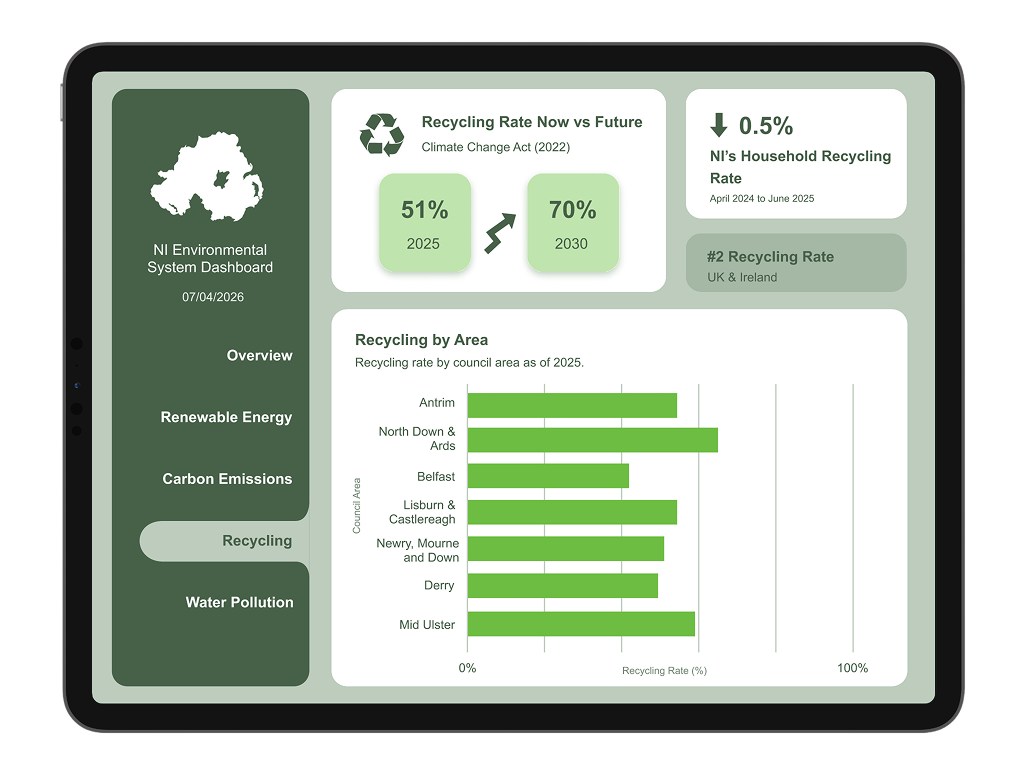
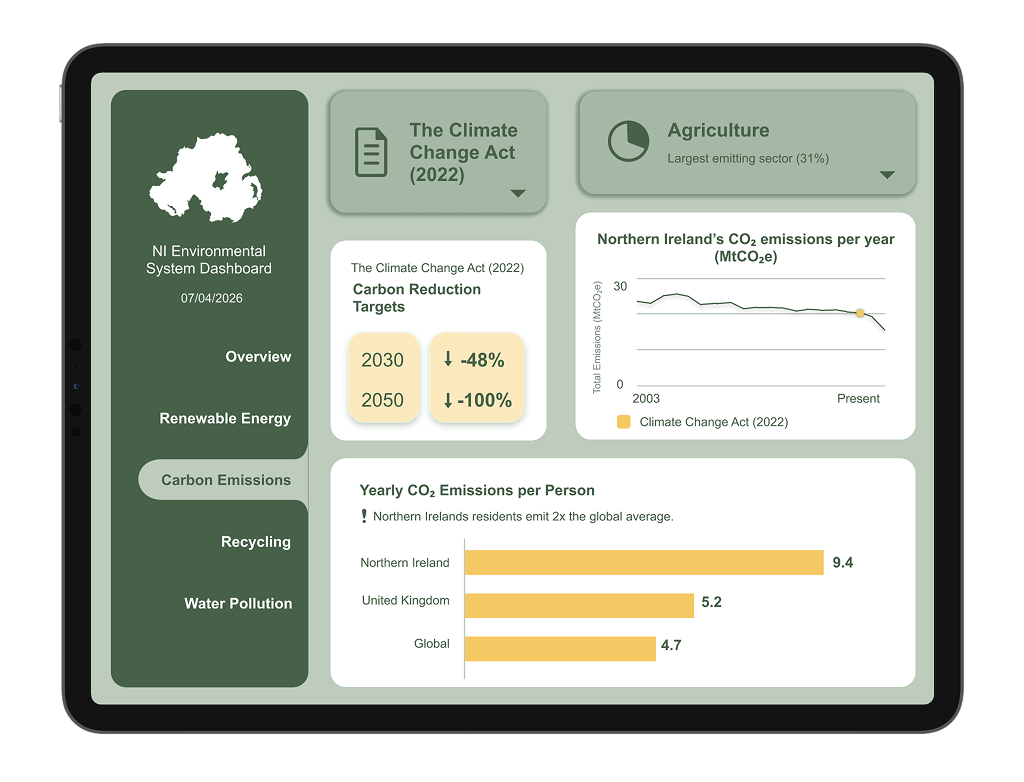
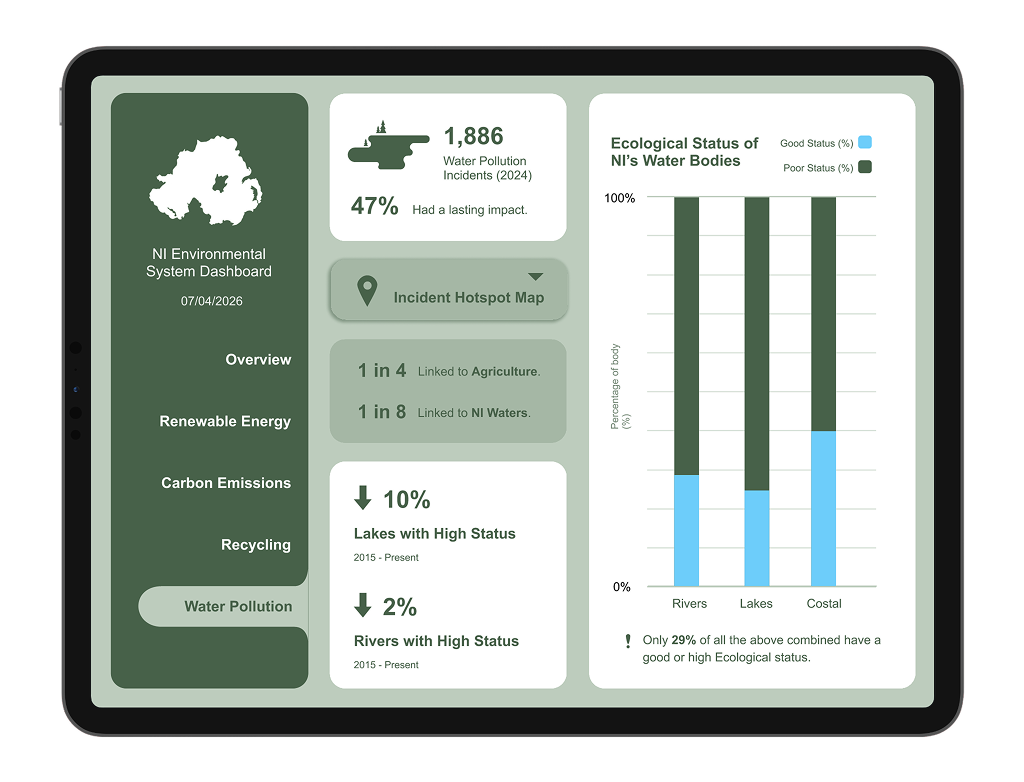
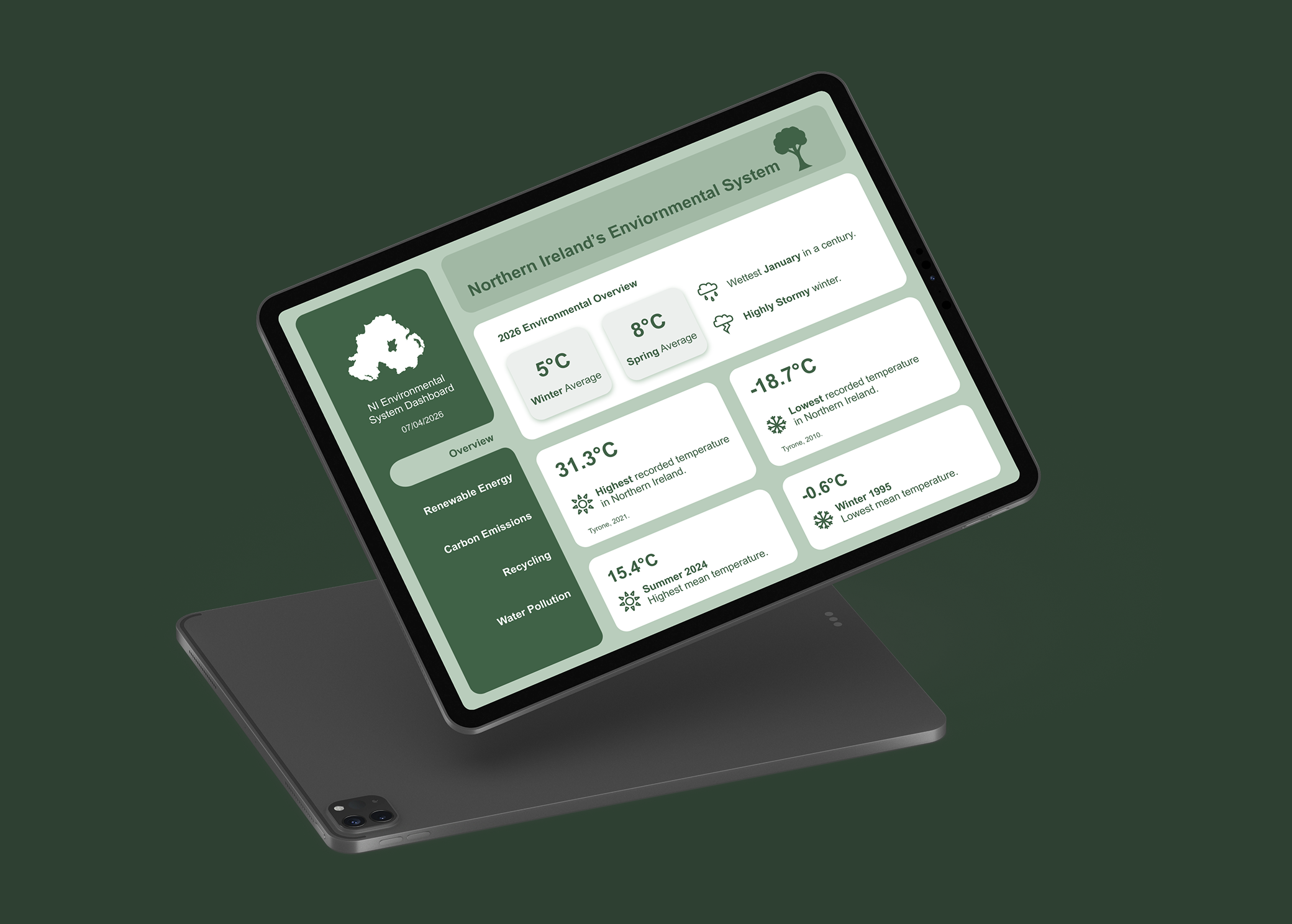
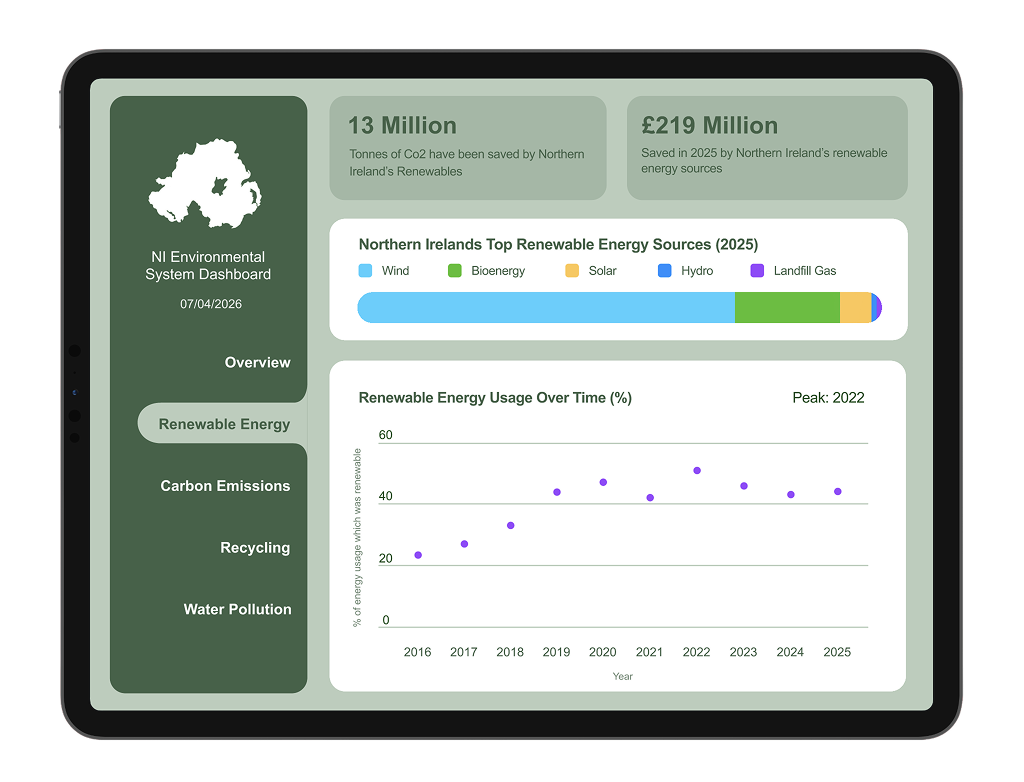
Gather data about a category of choice and present it in a dashboard format. I chose to present an environmental system. I created a dashboard with six different screens, featuring facts and figures about various environmental components in Northern Ireland. The main challenge of this project was that often, environmental information is very fact-heavy and statistics are hidden in long winded doccuments. This makes it difficult for a non-specialist to understand, with poor accessibility and practically no glanceability. My goal was to combat this by presenting data in a fun visual manner.
Research
My approach to this project required in-depth research. I wanted to present real data so that my dashboard would have meaning and factuality, as well combatting the main project challenge I had identified. This involved visiting many official websites and gathering information. This process took me the first 2 weeks of this project.
Using real-life statistics created a sense of passion about presenting them in the best way possible. This stage of research also in volevd me deciding on what to have screen on, I decided on: Renewable Energy, Carbon Emissions, Recycling, Water Pollution. At a later stage, I decided on adding an overview screen to tie it all together.
Design Process
Sketches & Wireframes
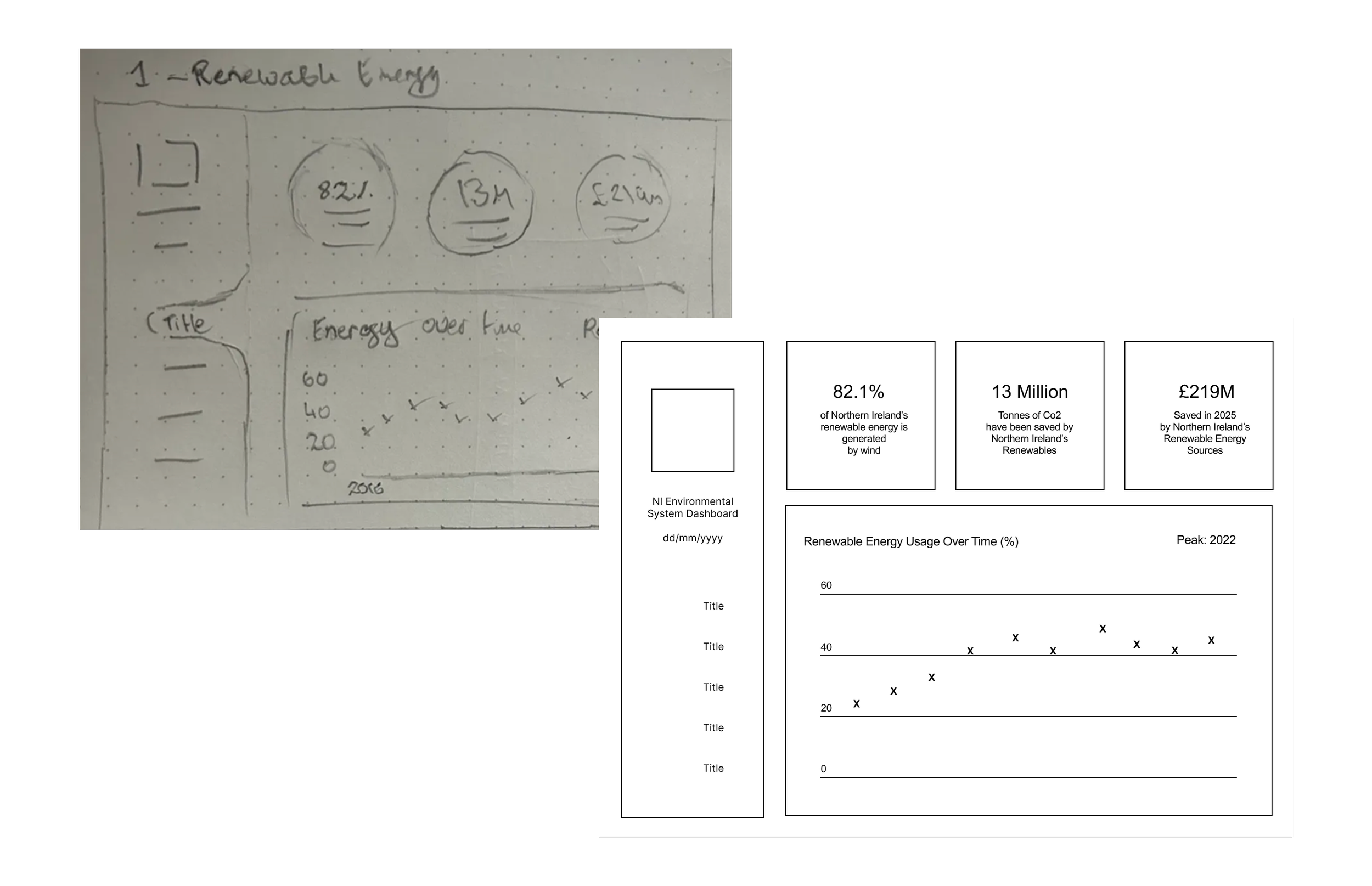
Early sketches involved experimentation with presenting this data in a way that was both visually pleasing and interactive. Sketches led to the production of several wireframe variations based on initial sketches, experimenting with layout and structure. I could really see my project coming together at this stage, as translating sketched into digital wireframes is the start of seeing a project come to life.
Refining & Prototyping
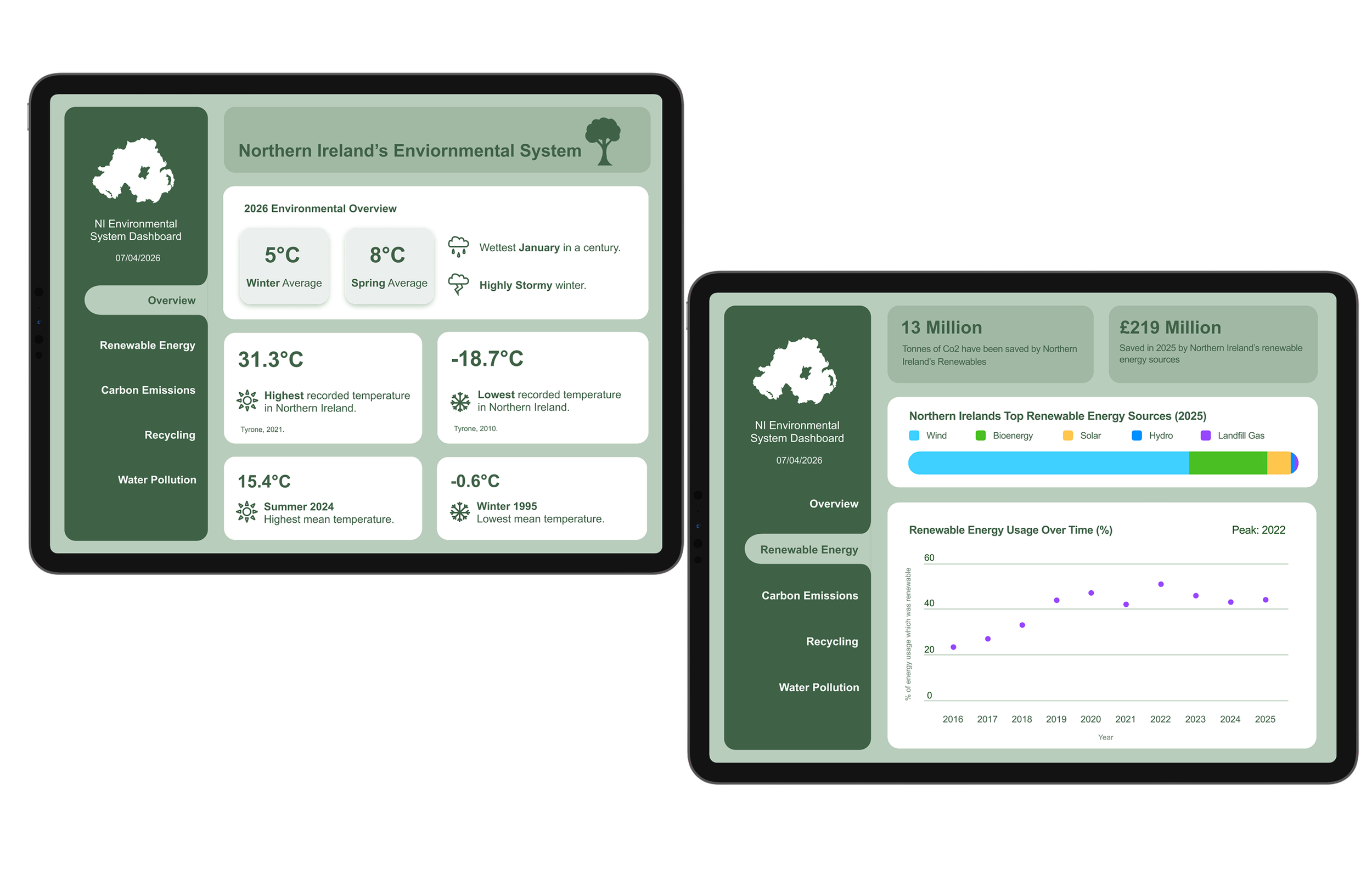
High Resolution mockups presented the opportunity for further refinement and development. At this stage, I made some changes to strengthen the design to enhance usability and improve structure. Seeing my project in a high-fidelity format allowed for experimentation with colour and typography to strengthen visual hierarchy. This led to some visual changes, including reconsideration of formatting and creating drop-down menus for better structure.
Feedback
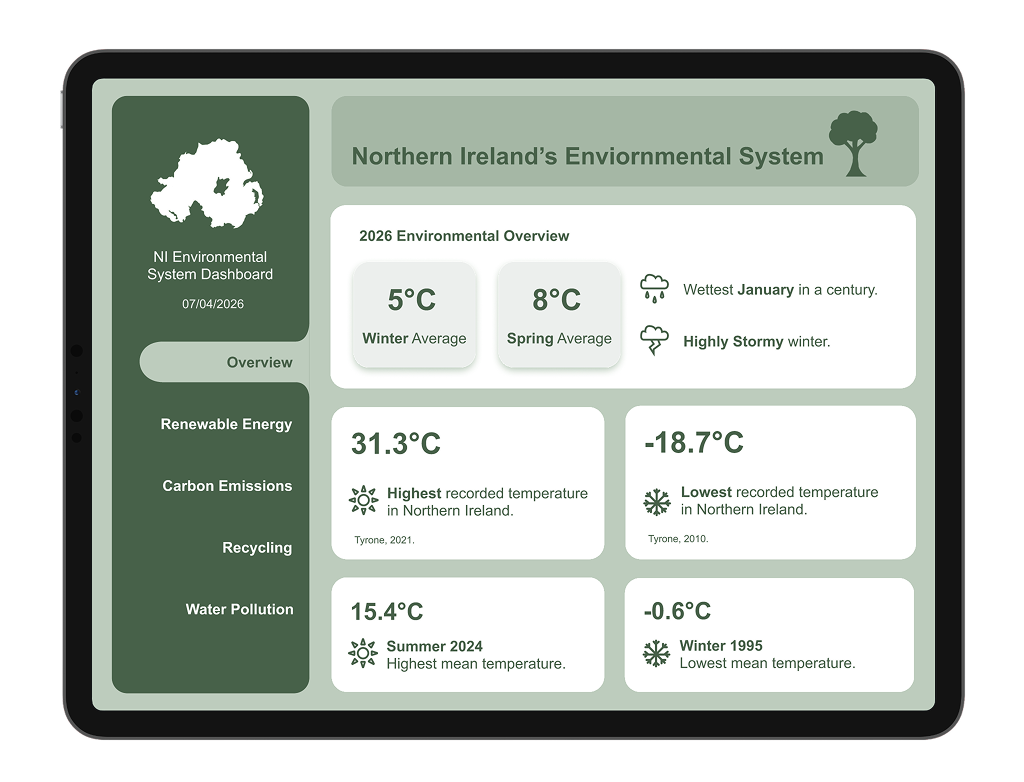
I made a series of adjustments following a class critique, in which I received very positive and constructive feedback. Minor changes, such as adding clearer labels and reconsideration of visual hierarchy were pointed out and improved upon, resulting in a much stronger interface with better glanceability.
Project Outcome
My final prototype met my initial goal of transforming complex data and statistics into a friendly interface that is fully prototyped and functional. Each screen holds a compact amount of up to-data about a specific area of the environment, allowing users too easily locate the information that interests them the most. If I were to further develop this project, I would love to include a wider range of categories as well as introducing sub categories, to hold more data and have more room for fun visuals.
Read more about the process in my project blog.